

Best Tools for Managing Travel Receipts 2026
Managing travel receipts can be overwhelming, but the right tools simplify the process. In 2026, expense management software has advanced significantly, offering features like AI-powered receipt scanning, real-time currency conversion, and seamless accounting integrations. These tools save time, reduce errors, and cut costs for individuals and businesses of all sizes.
Here are the top tools for managing travel receipts in 2026:
- EasyTripExpenses: Simple and affordable for small teams. Offers PDF/Excel reports and currency conversion (free and Pro plans available).
- Expensify: Popular for its SmartScan OCR and integrations with apps like Uber and QuickBooks. Supports 150+ currencies.
- Zoho Expense: Multilingual OCR, detailed analytics, and compliance for small to mid-sized businesses.
- SAP Concur: Designed for large enterprises with global operations. Offers advanced compliance and ERP integration.
- Rydoo: Fast OCR, fraud detection, and multi-currency support for mid-sized international teams.
- SutiExpense: Flexible workflows for mid-market businesses with complex approval processes.
- Ramp: Combines corporate card management with expense tracking. Focuses on automation and real-time analytics.
Quick Comparison
| Tool | OCR Accuracy | Currency Support | Report Formats | Best For |
|---|---|---|---|---|
| EasyTripExpenses | Manual entry, OCR coming soon | Multi-currency | PDF, Excel | Small teams, startups, and agencies |
| Expensify | High (SmartScan) | 150+ currencies | PDF, CSV, ZIP | Teams of all sizes |
| Zoho Expense | Multilingual OCR | Multi-currency | PDF, CSV, XLS | Small to mid-sized businesses |
| SAP Concur | Enterprise-grade OCR | Global support | PDF, CSV, XLS | Large enterprises |
| Rydoo | 95% accuracy | Multi-currency + VAT | PDF, CSV, ZIP | Mid-sized companies |
| SutiExpense | AI-powered OCR | Multi-currency | PDF, CSV, Excel | Mid-market businesses |
| Ramp | Card-linked OCR | 190+ countries | PDF, CSV, ZIP | Businesses using corporate cards |
Choose a tool based on your team size, travel needs, and integration requirements. Automation reduces time spent on manual tasks, improves accuracy, and streamlines expense reporting.
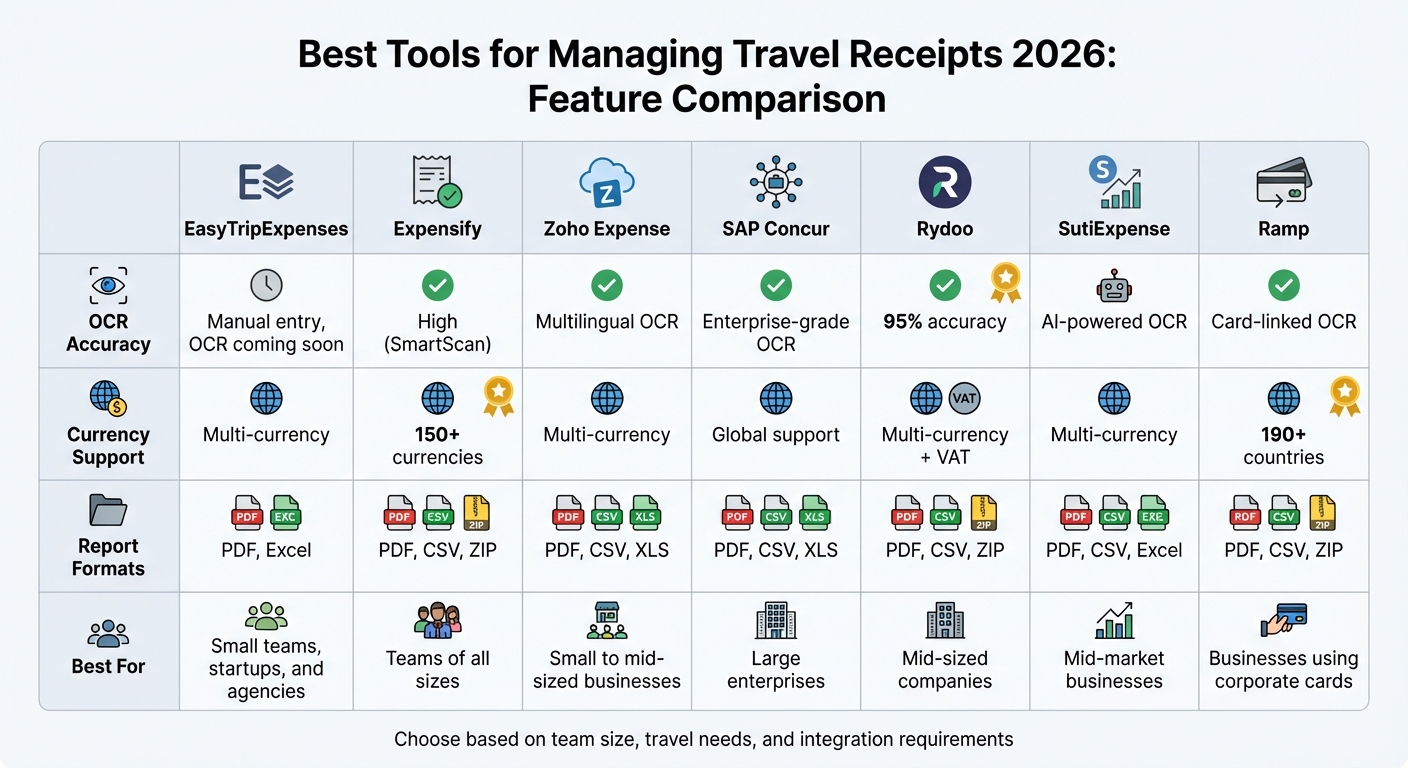
Travel Receipt Management Tools Comparison Chart 2026
Top Receipt Scanning Apps: Tested & Compared 2025
sbb-itb-386cb5b
1. EasyTripExpenses
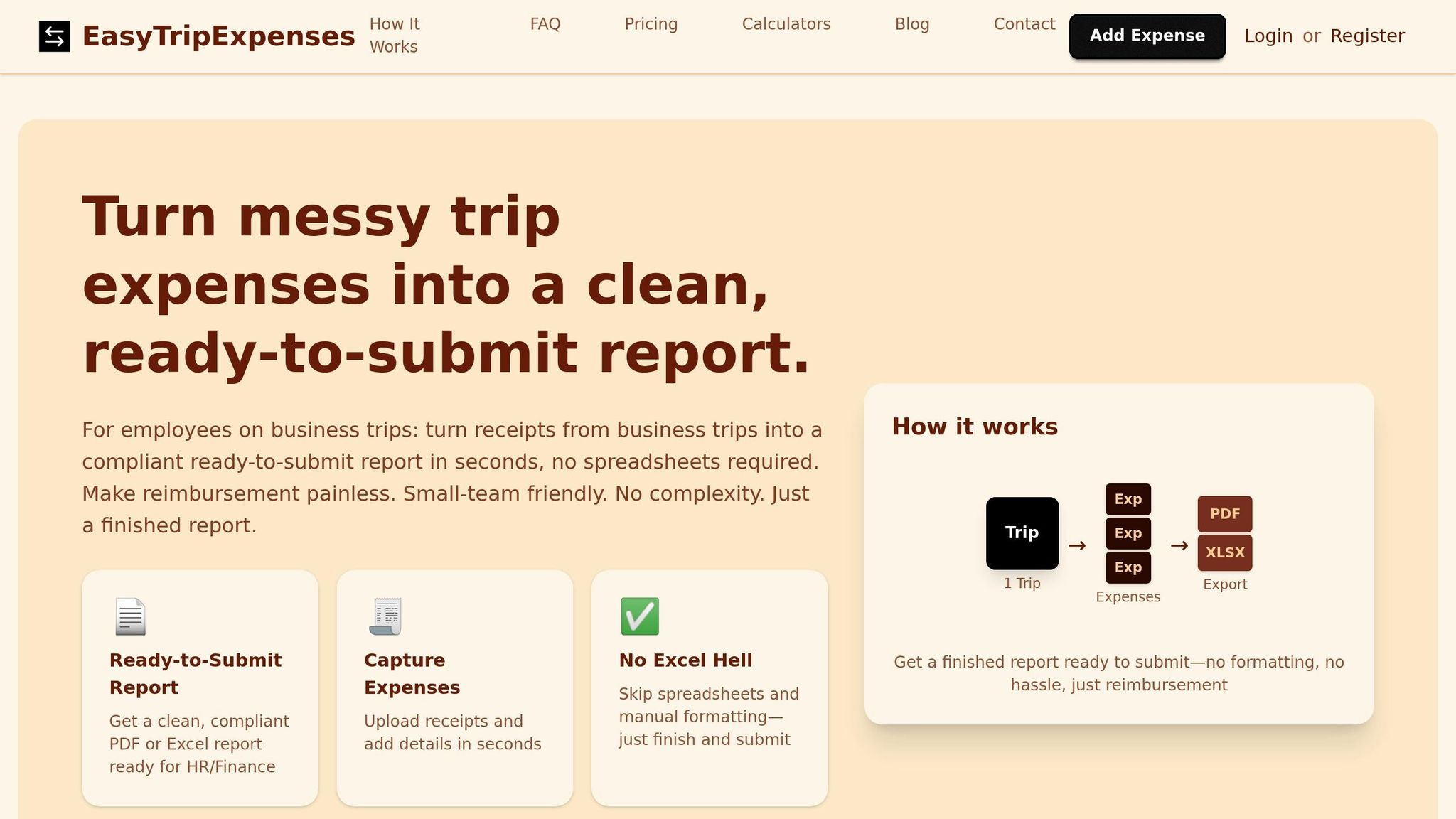
EasyTripExpenses is a user-friendly, web-based tool tailored for small teams, startups, and agencies. It simplifies the process of turning travel receipts into polished expense reports, cutting down on manual data entry and saving time. Just upload your receipts - whether as images or PDFs - categorize the expenses, add any necessary notes, and generate professional reports in PDF or Excel format. No complicated IT setup is required; you can get started right after signing up. It’s all about making travel expense reporting as straightforward as possible.
Report Generation Formats
The platform offers flexibility in how you handle your expense data. You can export reports as PDFs for easy sharing or as Excel files if you need to manipulate the data further. Both formats include essential details such as vendor, date, amount, category, and any added comments.
Currency Conversion Support
For international travelers, EasyTripExpenses has built-in currency conversion. This feature automatically converts foreign expenses into your home currency and is available across all plans, including the free Starter tier.
Who Is It Best For?
The pricing structure is ideal for smaller organizations. The free Starter plan supports one active trip, allowing up to 5 uploads and one year of expense history. For those needing more, the Pro plan costs $5/month (billed annually at $60) and offers 50 uploads per trip with a five-year history. This makes it a practical choice for those seeking the best expense management tools for freelancers, consultants, and small teams looking for professional expense tracking without the need for enterprise-scale features.
2. Expensify
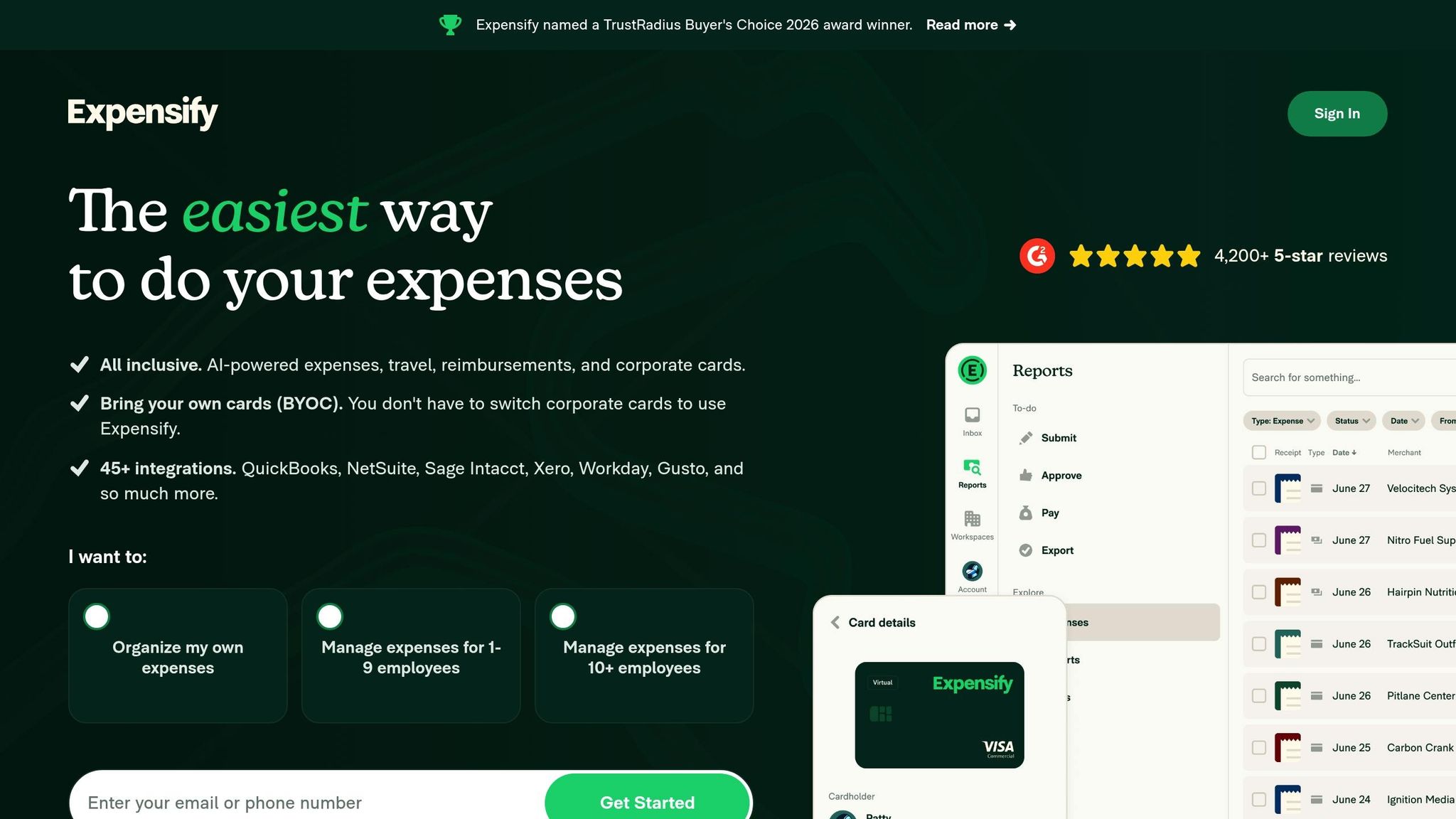
Expensify uses its SmartScan technology to simplify expense tracking. This proprietary OCR system extracts details like merchant names, dates, and amounts directly from receipt photos. Users can upload receipts via the mobile app or other designated channels, with processing completed in under a minute. With over 15 million users worldwide, it’s a trusted choice for expense management.
OCR Receipt Scanning
SmartScan supports over 150 currencies and symbols (¥, €, R$), eliminating the need for manual data entry. The mobile app even works offline - snap a photo without an internet connection, and the receipts will queue for processing once you're back online. Expensify also integrates with travel apps like Uber, Lyft, and Delta, automatically importing digital receipts. This streamlined approach ensures accurate data capture and currency handling.
"It is very very easy, as soon as you get a receipt you can scan it, the AI will capture all relevant information and it is very little interaction to get to the final submission of the expense." - Luis F.
Currency Conversion Support
For international travelers, Expensify handles foreign expenses using the daily spot rate from the purchase date, pulling data from sources like Open Exchange Rates or XE.com. This approach complies with IRS and HMRC standards, as it relies on date-specific rates instead of monthly averages. To enable this feature, toggle "Auto-convert foreign currency expenses" in your policy settings before traveling. The mobile app also allows for real-time conversion when scanning receipts.
Report Generation Formats
Expense reports can be exported as PDFs or synced directly with accounting software like QuickBooks, NetSuite, Xero, and Sage Intacct. Expensify's report-first workflow automatically organizes expenses into relevant categories, such as travel, projects, or clients. Businesses using automated OCR scanning have reduced the time spent on expense reports from over an hour to less than three minutes per report.
Team Size Suitability
Expensify is designed to accommodate everyone from individuals to large teams. The free plan is perfect for personal expense tracking, while company plans start at $5 per member per month. Automated currency conversion is included with paid plans (Team, Corporate, or Enterprise), making it a solid choice for businesses handling international travel. With a 4.5/5 rating from 4,889 reviews and recognition as a TrustRadius Buyer's Choice 2026 award winner, Expensify continues to stand out.
3. Zoho Expense
Zoho Expense takes receipt management to the next level by combining advanced OCR technology with multi-language support and detailed expense tracking.
With its Autoscan OCR technology, Zoho Expense extracts key details like dates, amounts, merchant names, currencies, and payment methods directly from receipt photos. It supports 14 languages, including English, French, German, Spanish, Chinese, and Russian, making it a practical choice for international travelers. The tool also captures line-item data for in-depth expense breakdowns and learns merchant categorization over time to improve efficiency. Organizations such as the World Scout Bureau have reported saving 90% to 95% of their time on reporting and approvals.
OCR Receipt Scanning
Receipts can be uploaded through the mobile app, dragged and dropped from your computer, or forwarded via email. You can also use Chrome and Microsoft Edge extensions to clip receipt images directly from webpages.
"The Zoho Expense team has provided us with the best features - especially the receipt auto-scan, which eases our expense reporting journey with its mobile functionality."
– Amit Rai, CHRO, Tata Play Fiber
Currency Conversion Support
Zoho Expense automatically detects currency details from receipts and applies live exchange rates. The platform offers eight country-specific editions, including those for the US, UK, India, Canada, Australia, UAE, and Saudi Arabia, ensuring compliance with local tax laws and per diem rules. For instance, the IFFCO Group uses Zoho Expense across multiple international offices to manage diverse expense policies and ensure compliance. This live integration simplifies travel expense management for global operations.
Report Generation Formats
Zoho Expense doesn’t stop at capturing data - it also makes it easy to generate and share reports. Expense reports can be exported as PDFs or synced with accounting systems like QuickBooks, Xero, SAP, and Oracle. The platform offers over 20 analytical reports, accessible on both mobile and desktop, with additional customization options available through Zoho Analytics. Reimbursement data can even be exported directly to banks, speeding up the process. For example, RedDoorz reported a 70% faster reimbursement cycle using Zoho Expense.
Team Size Suitability
Whether you’re part of a small team or a global enterprise, Zoho Expense has you covered. Smaller teams can take advantage of a free tier, while paid plans start at $3 per user per month when billed annually. Implementation is 50% faster than average, and the platform boasts an impressive 95% customer satisfaction rating. Companies like PUMA Oceania have successfully expanded their use of Zoho Expense globally after three years of seamless implementation.
4. SAP Concur
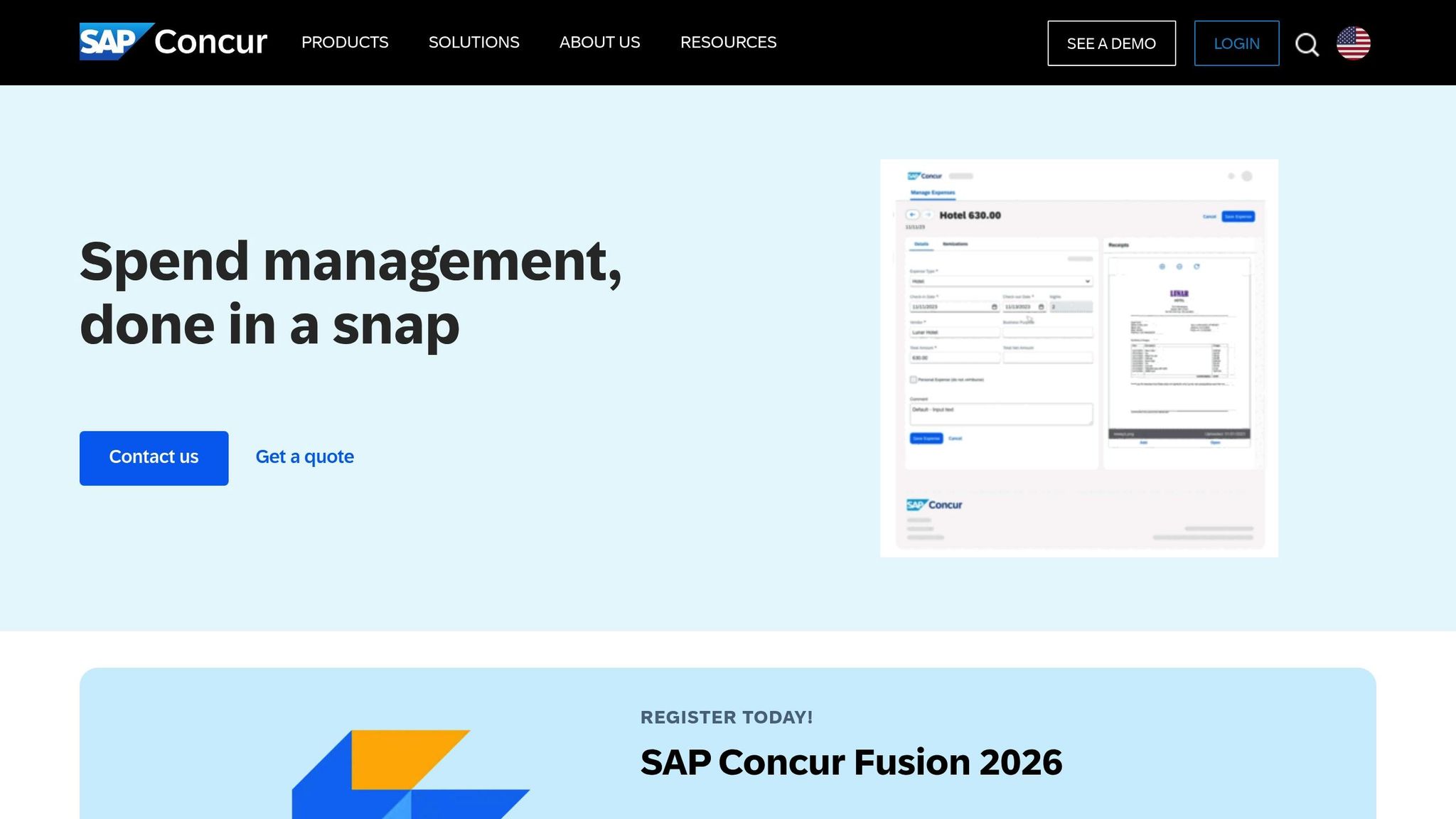
SAP Concur is a standout tool for large enterprises managing global travel expenses. With a 4.2 out of 5 rating on Gartner Peer Insights from 559 reviews, it offers robust compliance features and integrates seamlessly with major business systems. Here’s a closer look at how SAP Concur addresses the needs of complex, global operations.
OCR Receipt Scanning
SAP Concur’s ExpenseIt tool leverages OCR, machine learning, and generative AI to extract key details like amounts, dates, locations, and merchant names directly from receipts. This eliminates the need for manual data entry. For instance, it can itemize detailed hotel bills in under 30 seconds using generative AI. The platform also matches receipts with credit card charges automatically, attaching images to each line item to simplify reviews for managers and auditors. The mobile app even supports offline receipt scanning, queuing the data until a connection is restored - a lifesaver for frequent travelers.
Currency Conversion Support
Designed for global travel, SAP Concur supports multi-currency and multi-country configurations. Its use of AI and machine learning ensures compliance with regional policies while reducing audit times. The system can interpret receipts in multiple languages and continuously refines its accuracy. Additionally, its ERP integrations streamline expense management across borders, making it easier for enterprises to maintain oversight.
Report Generation Formats
SAP Concur transforms spending data into customizable dashboards and scheduled reports. Expense reports include receipt images for every transaction, giving leadership a clear view of company spending trends. This helps businesses manage budgets and refine strategies effectively. The platform also offers custom pricing models, making it suitable for organizations with over 1,000 employees operating in multiple countries.
Team Size Suitability
Built for enterprises with global operations, SAP Concur provides advanced audit trails and ERP compatibility to enhance travel receipt management. It’s trusted by major organizations, including pharmaceutical giant Merck, for its ability to handle worldwide expense reporting. While some users mention a steeper learning curve and an older interface, the platform’s global capabilities, strong compliance features, and integrations with SAP, Oracle, and NetSuite make it a go-to choice for large-scale operations.
5. Rydoo
Rydoo stands out in the world of receipt management with its fast, reliable, and globally recognized expense processing. With an impressive OCR accuracy of over 95% and accolades from Condé Nast Traveler as a top pick for international business travelers, Rydoo serves more than 1 million professionals in 130+ countries.
OCR Receipt Scanning
Rydoo's OCR technology extracts essential details like merchant names, dates, amounts, currencies, countries, and tax rates in under 3 seconds. Users can submit a complete expense in as little as 10 seconds. The platform doesn’t stop at simple scanning; it uses AI to analyze receipt content and recommend the correct expense category. For instance, it can automatically classify a restaurant receipt as "dinner".
"The capacity for the tool to recognise elements and pre-populate the information for you is a big time saver." - Pierre Fauvel, Financial Controller at Irdeto
Rydoo supports multi-page receipts and even processes digital receipts sent via email, creating expenses automatically. It also incorporates fraud detection to flag duplicate entries, invalid receipts, and handwritten amounts for further review.
Currency Conversion Support
For international travelers, Rydoo simplifies expense tracking with automatic currency detection. Using real-time exchange rates, it converts receipt amounts into the user’s default currency. This feature accommodates official tax, per diem, and mileage rates across more than 80 countries. Additionally, Rydoo ensures compliance with local regulations in all supported regions, making it a dependable tool for global businesses. Beyond currency conversion, the platform streamlines data exports and reporting for seamless financial analysis.
Report Generation Formats
Rydoo offers custom CSV and XLSX export templates, allowing finance teams to adjust columns and headers as needed. Reports can be scheduled to run automatically and sent directly to an SFTP server, removing the need for manual downloads. With integrations into over 40 finance, ERP, and HR tools - such as DATEV and Workday - Rydoo automates data transfers efficiently.
"His team reduced expense checking time from two to three days down to just two to four hours - an 80% time saving." - René Gotza, Financial Controller at Burger King
The platform also features real-time dashboards and customizable reports, enabling users to filter data by employee, cost center, category, or branch.
Team Size Suitability
Rydoo adapts seamlessly to teams of all sizes, making it a strong choice for large enterprises and mid-market companies. Its automated approval flows and policy enforcement are particularly valued by these organizations. The platform supports multiple languages and includes branch-specific policy checks for added flexibility. Digital receipts are securely stored for over 10 years with GDPR-compliant storage and disaster recovery plans in place.
6. SutiExpense
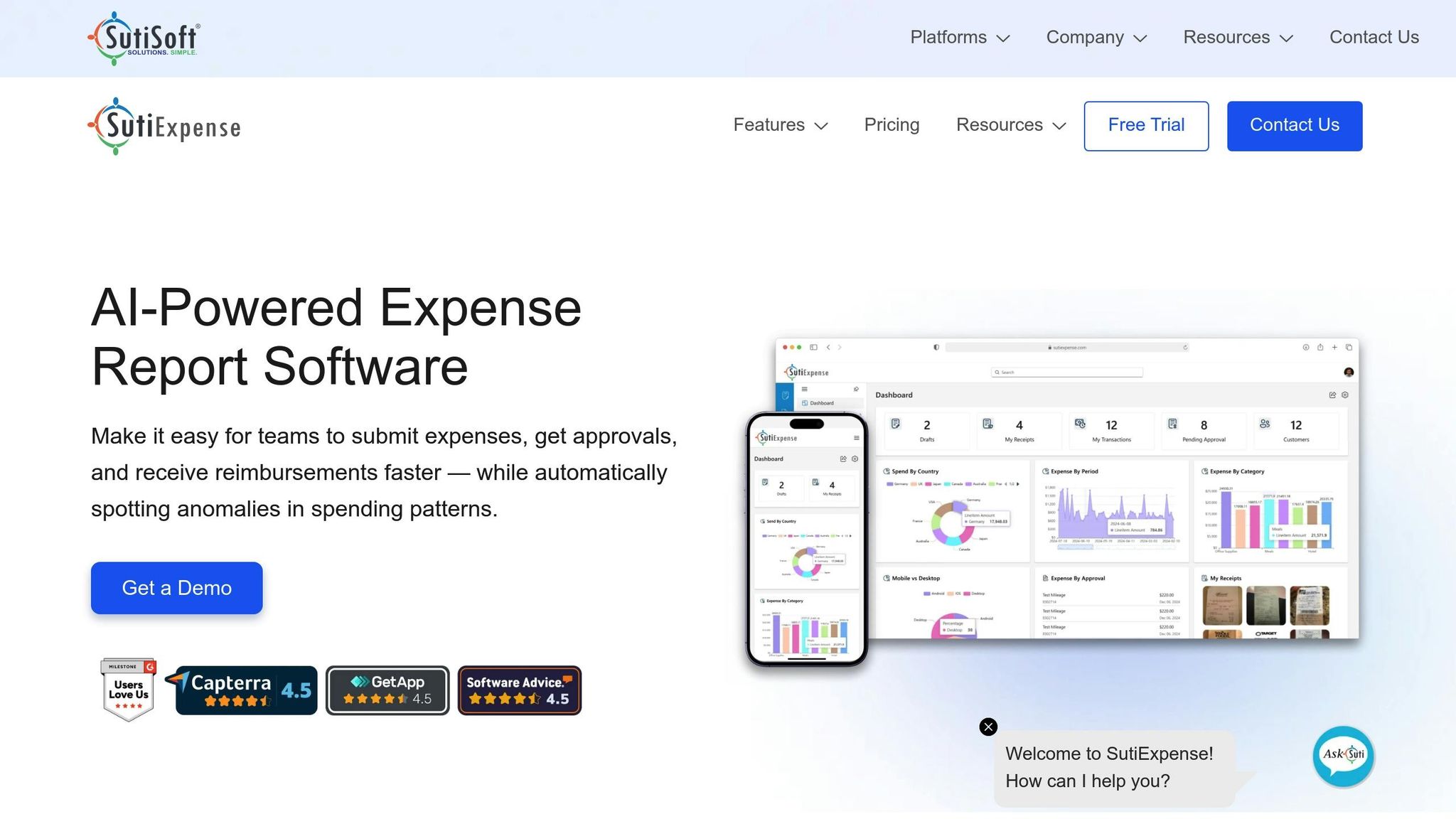
SutiExpense is designed to cater to mid-market and large organizations, offering enterprise-level tools paired with adaptable workflows. This makes it a great fit for companies with complex approval processes, especially those with over 10,000 employees across sectors like manufacturing, healthcare, financial services, and government. It combines advanced automation with the flexibility administrators need.
OCR Receipt Scanning
SutiExpense leverages AI-powered OCR technology to simplify receipt processing. It extracts essential details - such as merchant name, date, amount, and currency - from uploaded receipt images. Employees can submit receipts through the mobile app, email, or digital file uploads. The system even flags possible duplicate entries during submission, minimizing errors before they reach the finance team [47,51].
"The mobile app is easy to use and the camera function is convenient to quickly take a photo of a receipt and have it automatically entered into my account."
- Tamara, Residential Construction
The extracted information integrates seamlessly into approval workflows and audit rules, leading to cleaner expense reports and quicker reimbursements.
Currency Conversion Support
SutiExpense simplifies multi-currency transactions by automatically converting receipts based on company-defined settings. Finance teams can manually adjust exchange rates if needed, ensuring precision. The platform also monitors exchange rates alongside relevant tax rebates and discounts for international purchases.
Report Generation Formats
The platform integrates with popular accounting tools like QuickBooks, NetSuite, Salesforce, and Intacct, making data exports effortless [48,51]. Its analytics dashboard provides insights into spending patterns by department and vendor [48,50]. Additionally, users can print detailed expense reports or automate reimbursements through ACH payment gateways [48,51,53].
"Sutiexpense is a cost-effective solution that is simple to use, easy to manage, and flexible for any organization."
- Dan Oneal, VP Finance, Rinnai America Corporation
Team Size Suitability
Although SutiExpense can accommodate small businesses, it is particularly well-suited for mid-market and enterprise teams needing customizable workflows and strict policy enforcement [48,50]. Administrators also find the platform user-friendly, with features allowing them to switch between companies and roles with ease. It delivers the robust functionality of enterprise software while maintaining a flexible, responsive approach.
7. Ramp
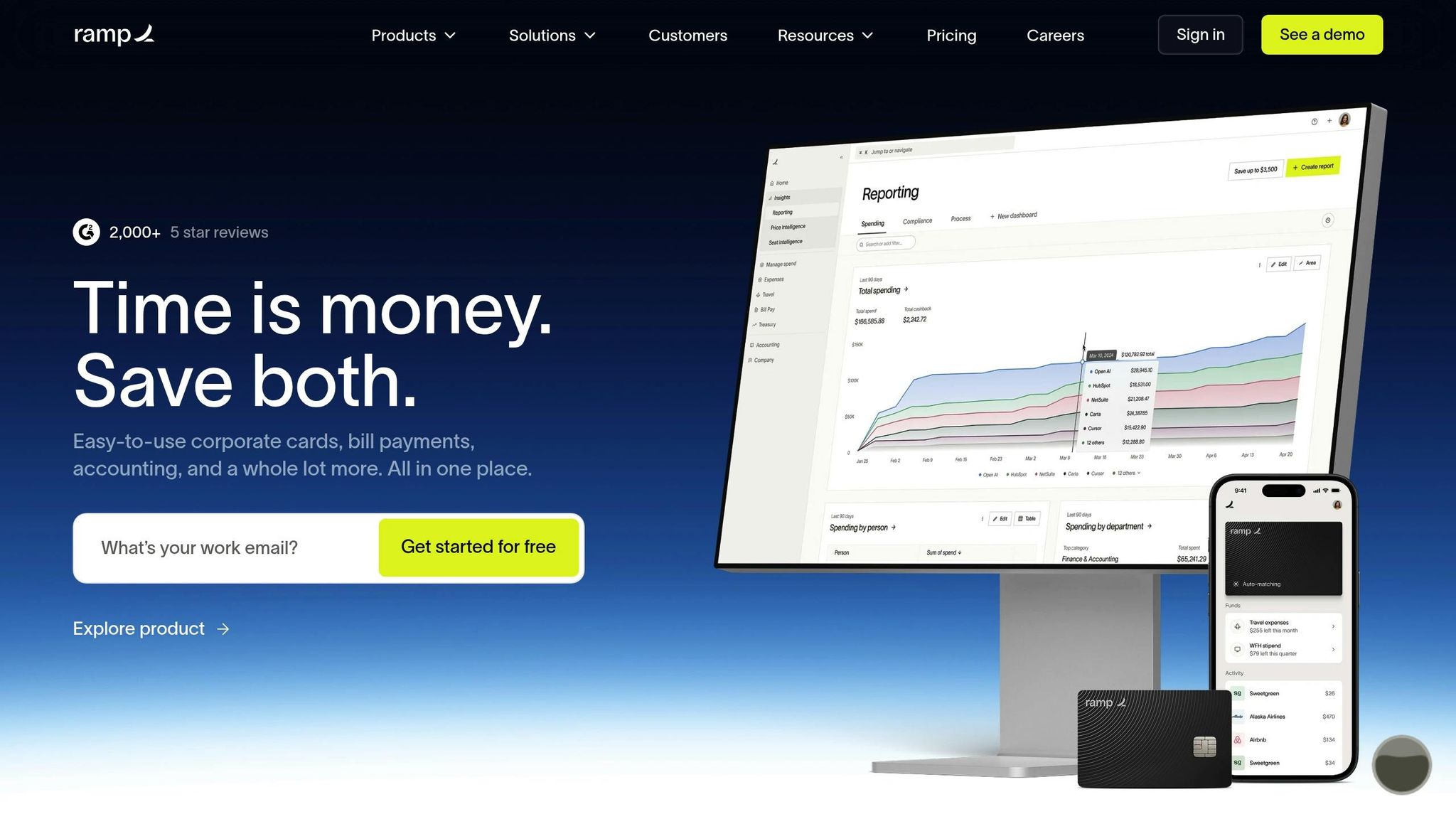
Ramp combines corporate card management with expense tracking, cutting out the hassle of manual receipt processing. Trusted by over 50,000 businesses, Ramp focuses on automation - from capturing receipts to completing accounting entries. Its advanced features, like OCR and real-time analytics, make handling expenses more efficient.
OCR Receipt Scanning
Ramp’s OCR technology simplifies receipt management by automatically pulling key details - such as merchant name, date, and amount - from receipts and matching them to corresponding card transactions as soon as they clear. Impressively, it achieves a 95% same-day matching rate, saving around five minutes of manual work per transaction [54,55,59]. Employees can submit receipts through various channels, including the mobile app, email (Gmail/Outlook), SMS, Slack, or Microsoft Teams. The system also uses AI to pre-fill memos and suggest accounting codes based on past behavior.
"Employees can snap a photo of their receipt, and (with pre-hardcoding of required accounting fields) it's instantly coded to the correct department - half the work is done before they start."
- Staci Robinson, AP Manager, Pair Eyewear
Ramp’s "Policy Agent" further streamlines the process by reviewing all expenses against company travel policies, automatically approving compliant items and flagging those that need further review. Once receipts are captured, Ramp handles multi-currency transactions effortlessly.
Currency Conversion Support
Ramp supports transactions in over 190 countries, automatically converting expenses using competitive rates from Open Exchange based on the transaction date. To maintain clarity, it stores both the original and converted amounts, offering a clear audit trail for international travel. Finance teams can view expenses in the company’s base currency, while employees submit them in local currencies. Additionally, Ramp enables reimbursements in more than 60 countries - including USD, GBP, EUR, and JPY - and syncs these transactions with ERP systems like NetSuite and Workday.
Report Generation Formats
Ramp provides real-time dashboards that give instant visibility into spending. Users can ask natural language questions to analyze expenses by team, vendor, or cardholder. Approved expenses flow seamlessly into ERP systems, complete with accurate GL mapping, journal entries, and attached audit trails. The platform integrates with popular systems such as NetSuite, QuickBooks, Xero, and Sage Intacct. For example, in 2025, Vanta implemented Ramp and saved 20 hours per month by streamlining intake and automating compliance checks, which freed up their finance team during month-end closings. Companies using Ramp report closing their books three times faster.
"Ramp is the only vendor that can service all of our employees across the globe in one unified system. They handle multiple currencies seamlessly, integrate with all of our accounting systems, and thanks to their customizable card and policy controls, we're compliant worldwide."
- Brandon Zell, Chief Accounting Officer, Notion [60,5]
These reporting tools make Ramp an excellent choice for businesses looking to expand and simplify their financial operations.
Team Size Suitability
Ramp works for businesses of all sizes. Its free tier offers basic tracking, while Ramp Plus costs $15 per user/month (billed annually) and includes advanced controls. Enterprise pricing is available for companies with more complex needs. To qualify, businesses must have at least $25,000 in a U.S. business bank account and use Ramp’s corporate cards to access the full range of features. Ramp boasts strong ratings - 4.8/5 on G2 and 4.9/5 on Capterra - with users frequently highlighting its automation capabilities and smooth accounting integrations.
Feature Comparison Table
Simplify your expense reporting by evaluating the standout features of leading tools. Compare their OCR capabilities, currency handling, reporting formats, and ideal team sizes.
| Tool | OCR Accuracy | Currency Support | Report Formats | Best For |
|---|---|---|---|---|
| EasyTripExpenses | Manual entry currently; OCR automation coming soon | Includes multi-currency conversion | PDF, Excel | Small teams, startups, and agencies (1–50 employees) |
| Expensify | SmartScan with high accuracy | Supports 150+ currencies with auto-conversion | PDF, CSV, ZIP | Teams of all sizes prioritizing mobile workflows |
| Zoho Expense | Automated OCR scanning | Multi-currency support for global operations | PDF, CSV, XLS, ZIP | Small to mid-sized businesses (3–500 employees) |
| SAP Concur | Enterprise-grade OCR with VAT calculation | Global support with automatic exchange rates | PDF, CSV, XLS, ZIP | Large enterprises handling complex global needs |
| Rydoo | Automated receipt capture | European VAT handling | PDF, CSV, ZIP | Mid-sized companies with international travel |
| SutiExpense | OCR with policy enforcement | Tracks multiple currencies | PDF, CSV, Excel | Mid-market businesses needing customization |
| Ramp | Card-linked expense matching | Multi-currency support via card transactions | PDF, CSV, ZIP | Businesses using corporate card expense management |
This table highlights the key features of each tool, helping you choose the best option for managing travel receipts efficiently.
Conclusion
Managing travel receipts doesn't have to be a headache or drain your budget anymore. With automation, businesses can cut expense reporting time by up to 75% and save more than $6,000 every month.
Choosing the right tool depends on your needs. For small teams or startups, simple platforms like EasyTripExpenses can generate clean, ready-to-submit reports without overcomplicating the process. If you're running a growing business with international travel, look for features like multi-currency support and accounting integration. Larger enterprises will benefit from tools offering strong policy enforcement, which can reduce finance review time by up to 80%.
Automation has completely changed the game for travel receipt management, drastically reducing time and costs. With the right tool, you can turn a tedious, error-prone process into a seamless one. Whether you're dealing with receipts for a handful of trips or managing expenses for hundreds of employees, focus on tools that offer automation, integration, and real-time tracking.
Start by pinpointing your biggest challenge - whether it's manual data entry, enforcing policies, or syncing with your accounting system. Then, test a tool on a single trip. The time saved and errors eliminated will make the investment well worth it.
FAQs
What should I look for in a travel receipt tool?
When choosing a tool, prioritize one with AI-powered receipt scanning to cut down on manual data entry and minimize errors. Look for features like multi-currency tracking - essential for managing expenses during international trips - along with secure data storage to keep sensitive information safe. The ability to create polished reports in formats like PDF or Excel is also a must. These features make it easier to organize receipts, speed up reimbursements, and stay aligned with company policies or tax requirements.
How do I handle multi-currency receipts correctly?
Managing multi-currency receipts can be tricky, especially when exchange rates come into play. Using expense management tools with built-in currency conversion features can make the process much smoother. These tools automatically convert expenses into your home currency, categorize them by currency type, and even account for exchange rate changes. This way, you can keep your expense tracking accurate and organized, whether you're traveling abroad or managing international transactions.
What’s the easiest way to create IRS-ready expense reports?
The simplest way to prepare expense reports that meet IRS requirements is by using automated expense reporting tools. These tools let you scan receipts, automatically extract key information, and produce polished reports in formats like PDF or Excel. They streamline the process, help you stay compliant with IRS rules, and cut down on both time and mistakes.